
First, select your framework from the list under the grey Assessment button on your dashboard.
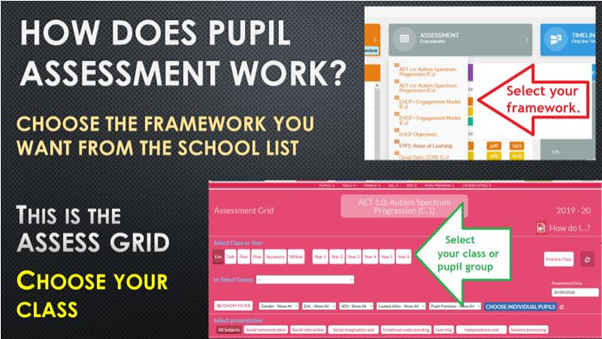
Then select the relevant class or pupil group in the red pupil filter.
This brings up a grid with a row of pupils along the top and a subject cascade which opens out into
topics and all the way down to individual ‘can do’ statements, which is where teachers apply the
appropriate grades. To do this, just click on a cell and select a grade colour.
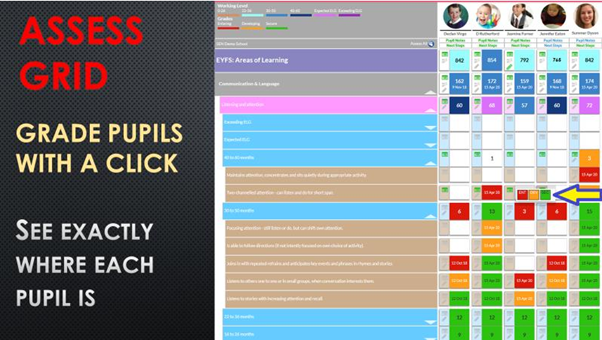
This example has the conventional three grades; red, amber and green but different schemes can
have anything up to ten grade options in a variety of colours.
You will see numbers in the topic and subject cells. This is just the system keeping score of the
number of steps that that pupil has taken against statements in that subject. A step would be
moving from red to amber or amber to green.
Comments
0 comments
Please sign in to leave a comment.