
To remove an assessment, click on the Pencil icon. A grading box will open in a new window.

By clicking the red X, Earwig will remove the score and return the filled cell to an empty state.
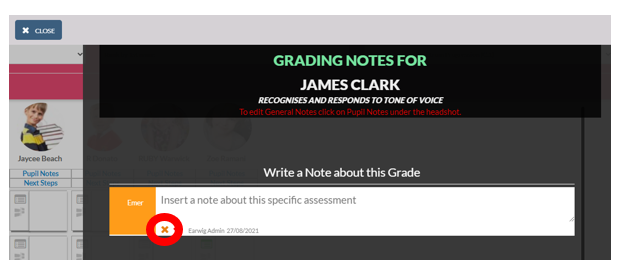
A final safety check is applied before the grade is deleted.

Caution: If the grade you are removing has other nested statements, as part of a framework, these will be removed too. For example, if you are changing the grade of a blue layer cell with 3 brown statements underneath, the grades in the three brown layer cells will also be removed as part of this action. The general “rule of thumb” is to remove the grade at the lowest level in the framework.
Comments
0 comments
Please sign in to leave a comment.